
Veneers or Braces: Which Is Best for a Straight Smile?
La Habra/Chino Hills, CA – If you’ve been living with a less-than-ideal smile and you’ve decided it’s time to make...
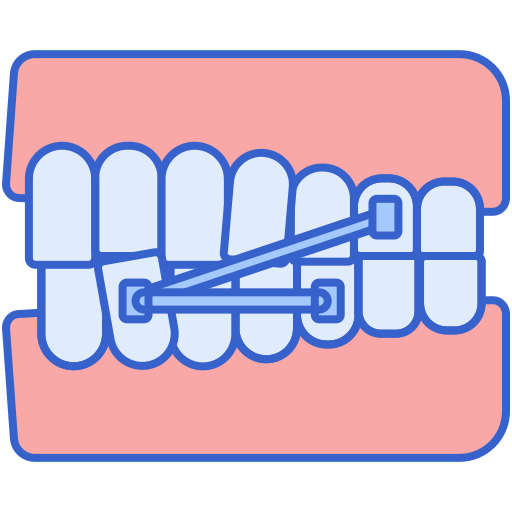
Read MoreThis refers to anything that we attach to your teeth to aid us in the goal of moving teeth to their new locations. It can include braces, as well as things we may use to help guide the growth of your jaw, such as expanders, holding arches, or habit appliances.

The archwire is the wire that goes along your teeth to guide them to their new locations. It will be changed throughout treatment as your teeth move.
Bands are the metal rings that we cement to your teeth, going all the way around. We do not use these often as they are an older method of treatment.
A bond is the seal created by orthodontic cement to hold your appliances (including braces as mentioned above) in place.
The brackets are the individual pieces that are bonded to your teeth and used to the hold the archwire in place.
Coil springs fit over your archwire between brackets and work to open or close spaces as needed.
These small rubber bands are used to provide pressure to achieve certain positions during treatment. They will hook between certain points as directed by Dr. Gire.
Elastic ties, not to be confused with the rubber bands above, are tiny rubber bands that go around each bracket. They are used to hold the archwire in place, and you can choose your own colors to personalize your treatment.
Headgear is an external apparatus that is used in some instances to help us guide the growth of the jaw while moving the teeth to their proper positions. An external wire, called a facebow, applies force by a spring-loaded neck or head strap. We do not use headgear very commonly in our office.
The tube is a round, hollow attachment on your back bands that holds in the inner bow of your headgear.
This is a welded or removable arm to which the elastics can be hooked.
Your archwires can be held in place on the brackets using thin, ligature wires. We commonly use these if the tooth is highly rotated to help get it aligned better.
Lip bumpers are used to hold back the molars on your lower jaw in order to provide more space for other teeth and is made of a molded piece of plastic.
Mouth guards protect your mouth from injury during contact sports or rigorous activity, and are recommended for all patients who engage in activities that could result in a blow to the mouth that could cause injury or damage to their appliance.
This device widens your upper jaw.
Retainers are worn after braces in order to ensure the teeth remain in their new locations. The retainer will fit over your teeth, but in some cases, a bonded retainer may be recommended.
These are small, rubber rings used to create space between teeth before bands are attached.
Wax is used to stop your braces from causing irritation to the inside of your mouth. Commonly used around hooks or the ends of the archwire.
Fitting and cementing orthodontic bands to your teeth.
Attaching brackets to your teeth using special orthodontic cement.
An X-ray of your head that shows the relative positions and growth of the face, jaws, and teeth.
A meeting with your orthodontist to discuss a treatment plan.
Removing cemented orthodontic bands from your teeth.
Removing cemented orthodontic brackets from your teeth.
Biting into a soft material that hardens into a mold of your teeth creates an impression from which the orthodontist can prepare a treatment plan. We use an iTero scanner in our office in place of traditional impressions.
An x-ray that rotates around your head to take pictures of your teeth, jaw, and other facial areas.
This is the brand of self-ligating braces that Dr. Gire most commonly uses.
This is the most commonly thought of brand of clear aligners and it is available at Gire Orthodontics.
This is a brand of clear aligner most used at Gire Orthodontics – they are available only for use by orthodontists and are the most discreet and comfortable clear aligner.
This is the type of clear, ceramic braces used by Dr. Gire and are made of a polycrystalline-alumina that makes them almost translucent.
This is the type of lingual braces used and offer a truly invisible option for orthodontic treatment.
We proudly serve patients at two convenient locations, making it easy for you to access expert orthodontic care close to home.
La Habra/Chino Hills, CA – If you’ve been living with a less-than-ideal smile and you’ve decided it’s time to make...
Read More
La Habra / Chino Hills, CA — If you’ve been thinking about straightening your teeth but haven’t taken the first...
Read More
La Habra / Chino Hills, CA — A confident, healthy smile can make a powerful difference at any age. Dr....
Read MoreTake control of your smile journey today with our expert orthodontic care.
Gire Orthodontics
We firmly believe that the internet should be available and accessible to anyone, and are committed to providing a website that is accessible to the widest possible audience, regardless of circumstance and ability.
To fulfill this, we aim to adhere as strictly as possible to the World Wide Web Consortium’s (W3C) Web Content Accessibility Guidelines 2.1 (WCAG 2.1) at the AA level. These guidelines explain how to make web content accessible to people with a wide array of disabilities. Complying with those guidelines helps us ensure that the website is accessible to all people: blind people, people with motor impairments, visual impairment, cognitive disabilities, and more.
This website utilizes various technologies that are meant to make it as accessible as possible at all times. We utilize an accessibility interface that allows persons with specific disabilities to adjust the website’s UI (user interface) and design it to their personal needs.
Additionally, the website utilizes an AI-based application that runs in the background and optimizes its accessibility level constantly. This application remediates the website’s HTML, adapts Its functionality and behavior for screen-readers used by the blind users, and for keyboard functions used by individuals with motor impairments.
If you’ve found a malfunction or have ideas for improvement, we’ll be happy to hear from you. You can reach out to the website’s operators by using the following email
Our website implements the ARIA attributes (Accessible Rich Internet Applications) technique, alongside various different behavioral changes, to ensure blind users visiting with screen-readers are able to read, comprehend, and enjoy the website’s functions. As soon as a user with a screen-reader enters your site, they immediately receive a prompt to enter the Screen-Reader Profile so they can browse and operate your site effectively. Here’s how our website covers some of the most important screen-reader requirements, alongside console screenshots of code examples:
Screen-reader optimization: we run a background process that learns the website’s components from top to bottom, to ensure ongoing compliance even when updating the website. In this process, we provide screen-readers with meaningful data using the ARIA set of attributes. For example, we provide accurate form labels; descriptions for actionable icons (social media icons, search icons, cart icons, etc.); validation guidance for form inputs; element roles such as buttons, menus, modal dialogues (popups), and others. Additionally, the background process scans all the website’s images and provides an accurate and meaningful image-object-recognition-based description as an ALT (alternate text) tag for images that are not described. It will also extract texts that are embedded within the image, using an OCR (optical character recognition) technology. To turn on screen-reader adjustments at any time, users need only to press the Alt+1 keyboard combination. Screen-reader users also get automatic announcements to turn the Screen-reader mode on as soon as they enter the website.
These adjustments are compatible with all popular screen readers, including JAWS and NVDA.
Keyboard navigation optimization: The background process also adjusts the website’s HTML, and adds various behaviors using JavaScript code to make the website operable by the keyboard. This includes the ability to navigate the website using the Tab and Shift+Tab keys, operate dropdowns with the arrow keys, close them with Esc, trigger buttons and links using the Enter key, navigate between radio and checkbox elements using the arrow keys, and fill them in with the Spacebar or Enter key.Additionally, keyboard users will find quick-navigation and content-skip menus, available at any time by clicking Alt+1, or as the first elements of the site while navigating with the keyboard. The background process also handles triggered popups by moving the keyboard focus towards them as soon as they appear, and not allow the focus drift outside it.
Users can also use shortcuts such as “M” (menus), “H” (headings), “F” (forms), “B” (buttons), and “G” (graphics) to jump to specific elements.
We aim to support the widest array of browsers and assistive technologies as possible, so our users can choose the best fitting tools for them, with as few limitations as possible. Therefore, we have worked very hard to be able to support all major systems that comprise over 95% of the user market share including Google Chrome, Mozilla Firefox, Apple Safari, Opera and Microsoft Edge, JAWS and NVDA (screen readers).
Despite our very best efforts to allow anybody to adjust the website to their needs. There may still be pages or sections that are not fully accessible, are in the process of becoming accessible, or are lacking an adequate technological solution to make them accessible. Still, we are continually improving our accessibility, adding, updating and improving its options and features, and developing and adopting new technologies. All this is meant to reach the optimal level of accessibility, following technological advancements. For any assistance, please reach out to